

TheDocumentation Index
Fetch the complete documentation index at: https://walletconnect-pay-docs-docs-wcp-wallet-coverage.mintlify.app/llms.txt
Use this file to discover all available pages before exploring further.
iconUrl field on the Merchant API accepts a public HTTPS URL pointing to a merchant logo. The logo renders at the moment of payment, so dimensions and format are a direct trust signal. A stretched or pixelated logo undermines buyer confidence at the exact step where confidence matters most.
This guide covers the recommended specification for the iconUrl field used by POST /v1/merchants (create) and PATCH /v1/merchants/{merchantId} (update).
Where the logo appears
The merchant logo is surfaced at the two main moments of the buyer’s payment flow:Wallet payment screen
When the buyer scans the WalletConnect QR code, the wallet opens a payment screen with the merchant logo as the primary visual anchor above the amount and selected payment method.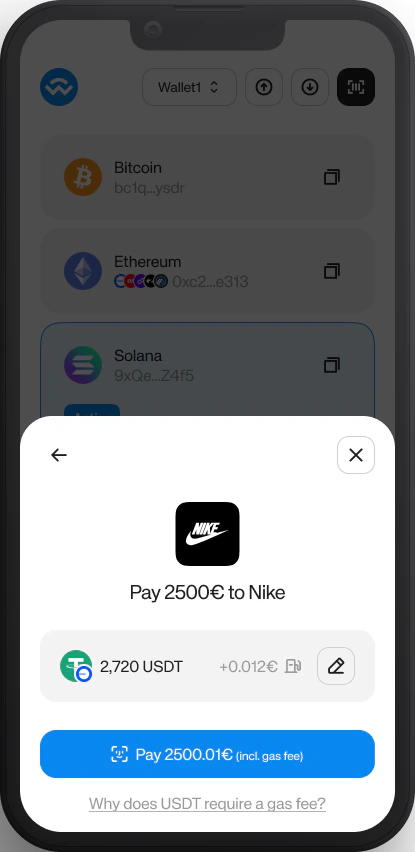
Logos and brands shown are for illustrative purposes only and do not imply affiliation or endorsement.
Buyer checkout
On the WalletConnect Pay buyer checkout page (opened when a buyer scans the payment QR with a generic camera or QR scanner), the merchant logo anchors the “Pay X to <Merchant>” headline above the payment options.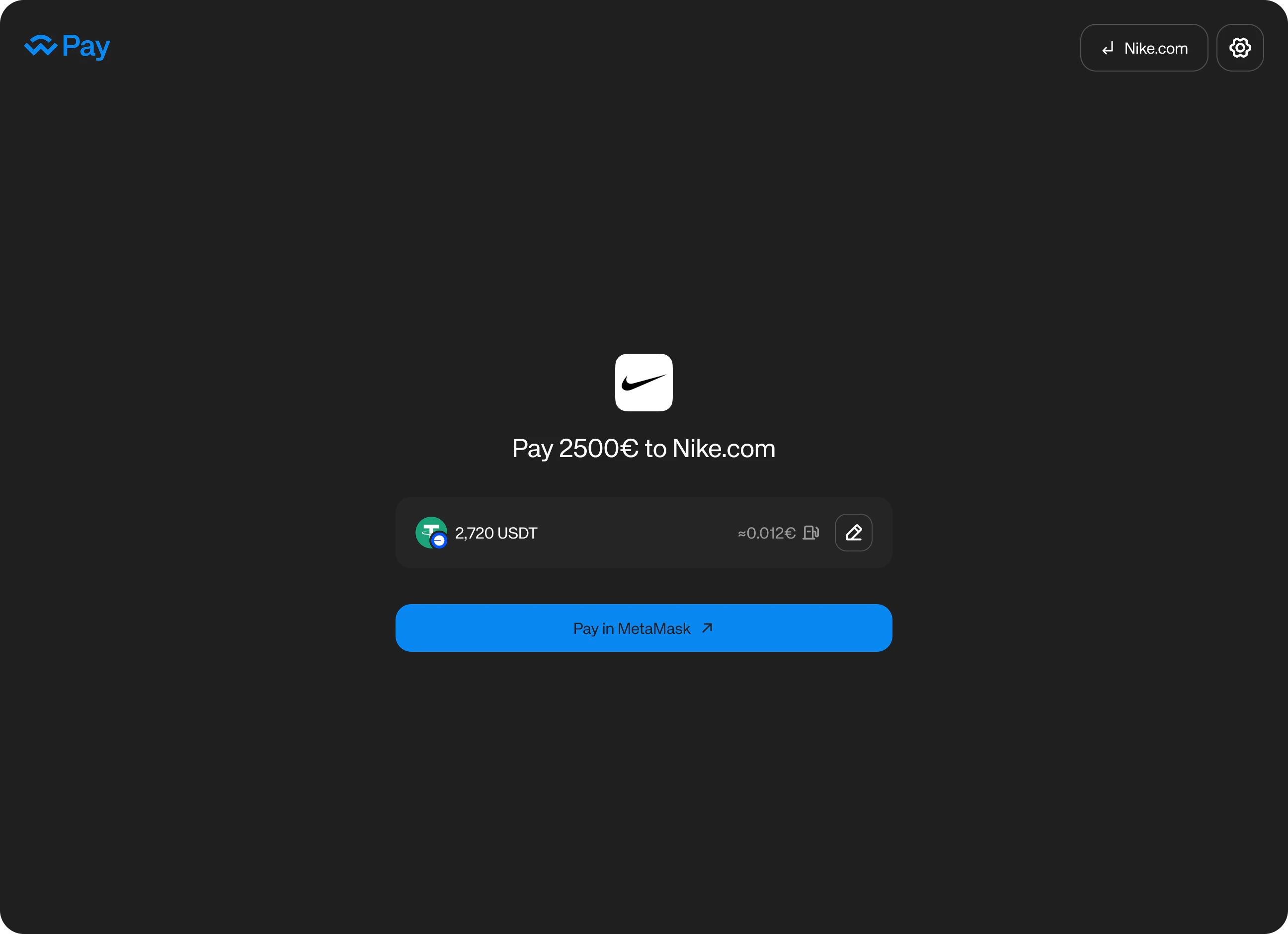
Logos and brands shown are for illustrative purposes only and do not imply affiliation or endorsement.
Because the logo renders inside different container shapes across surfaces (square cards on web, rounded squares in wallets), the asset needs to work across all of them. The specification below is designed for that.Specification
| Field | Value |
|---|---|
| Aspect ratio | 1:1 (square), ±5% tolerance |
| Minimum dimensions | 500 × 500 px |
| Recommended dimensions | 1024 × 1024 px |
| Maximum dimensions | 4096 × 4096 px |
| Accepted formats | JPEG, PNG, WebP, AVIF |
| Max file size | 2 MB |
| Transparency | Allowed in PNG and WebP |
Format guidance
- PNG or WebP for logos with transparent backgrounds.
- JPEG for flat photographic logos with no transparency.
- AVIF if your asset pipeline already produces it; otherwise prefer PNG.
- 1024 × 1024 px is the recommended size: it gives retina headroom across surfaces while staying well under the 2 MB cap.
Why square
Logos render inside square and rounded-square containers across surfaces. Non-square images get center-cropped, and the result is unpredictable: a tall rectangle that looks fine in one wallet may have its bottom half clipped in another. Square assets with the ±5% tolerance render consistently everywhere. Create a merchant with a logo hosted on your own CDN:PATCH /v1/merchants/{merchantId} with a new iconUrl. Simply swapping the asset at your CDN URL will not update what buyers see at checkout.